
Brand Knowledge Base Overview
At a glance
| Topic | Details |
|---|---|
| Best for | Saving facts that should keep helping across future chats, campaigns, and image work. |
| Start here | Use this when the answer depends on business context, approved facts, or operational rules, not just visual style. |
| Outcome | Less repeated typing, fewer missing details, and stronger context retrieval in later tools. |
Open it now
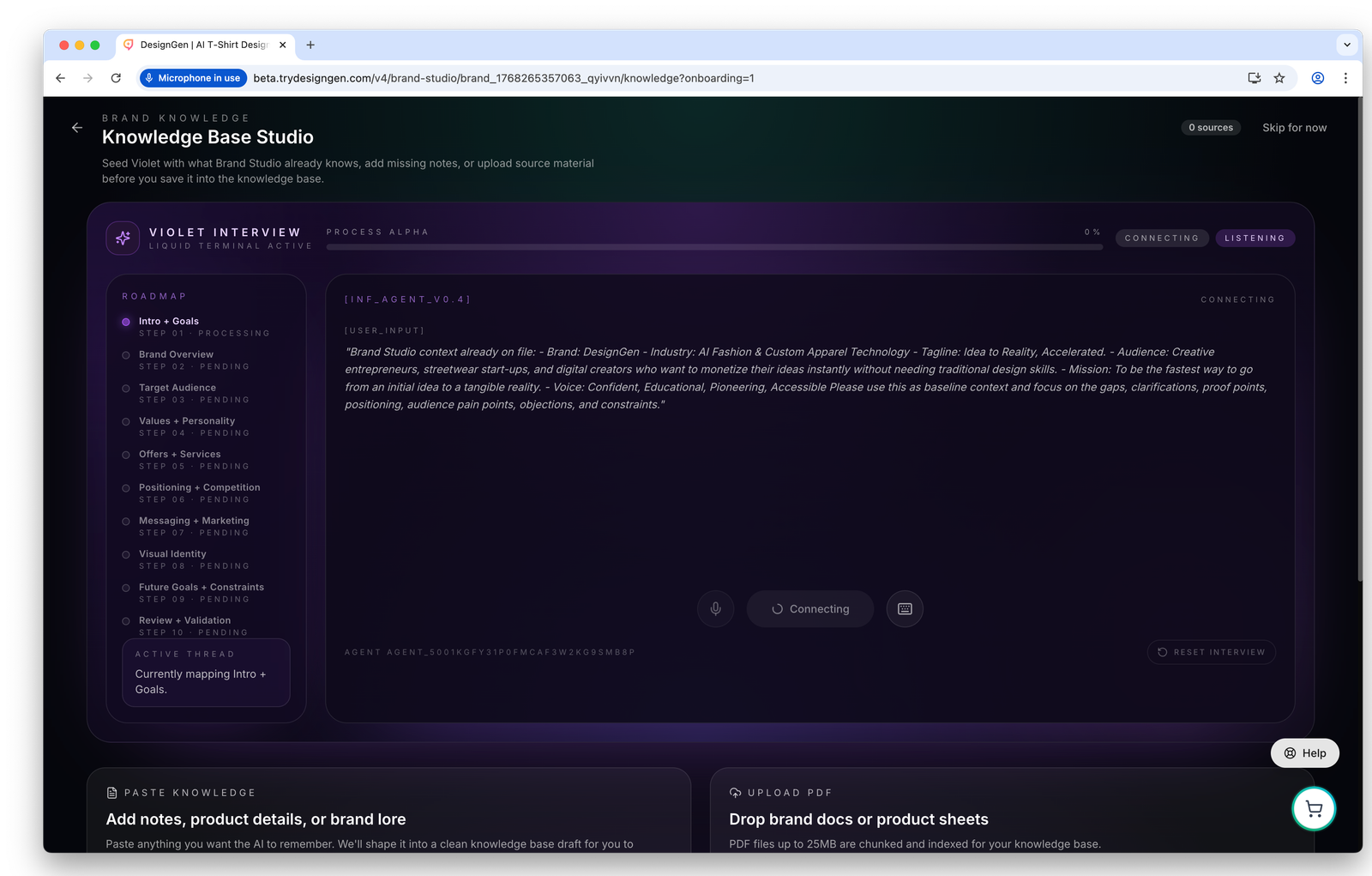
The Knowledge Base is where durable facts live once the style guide itself is already underway.
Before you start
- Only save information that should matter again later.
- If a note only belongs to one campaign, it usually belongs in Creative Studio instead.
- If a rule should influence future answers or images, it belongs here instead of inside one chat.
What belongs in the Knowledge Base
- Product details and offer rules.
- Audience pain points and buying triggers.
- Approved claims and proof points.
- Positioning notes and competitor context.
- Constraints that future work should not break.
What does not belong here
- Temporary brainstorm notes that will never matter again.
- Pure style-system rules that belong in the brand notebook.
- Project-only context that should stay inside one Creative Studio session.
The three scope options
| Scope | Use it for |
|---|---|
| Chat + Image | Facts that should influence both writing and visuals. |
| Chat only | Business context that should shape answers or planning but not image direction. |
| Image only | Visual constraints or cues that should affect the look of output more than the wording. |
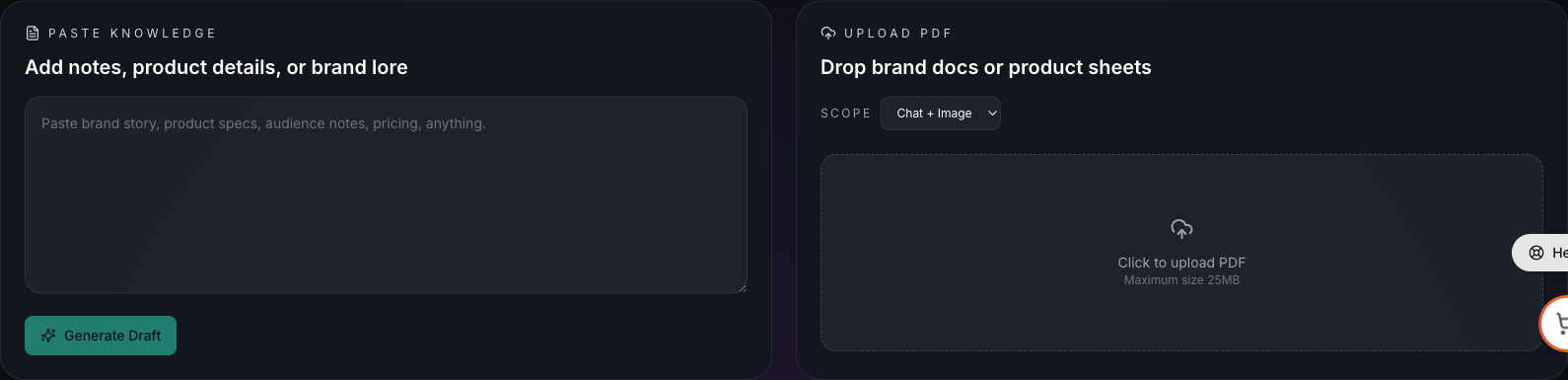
Knowledge Base Studio gives you multiple ways to add information, depending on whether the source lives in someone’s head, a note, a PDF, or a website.
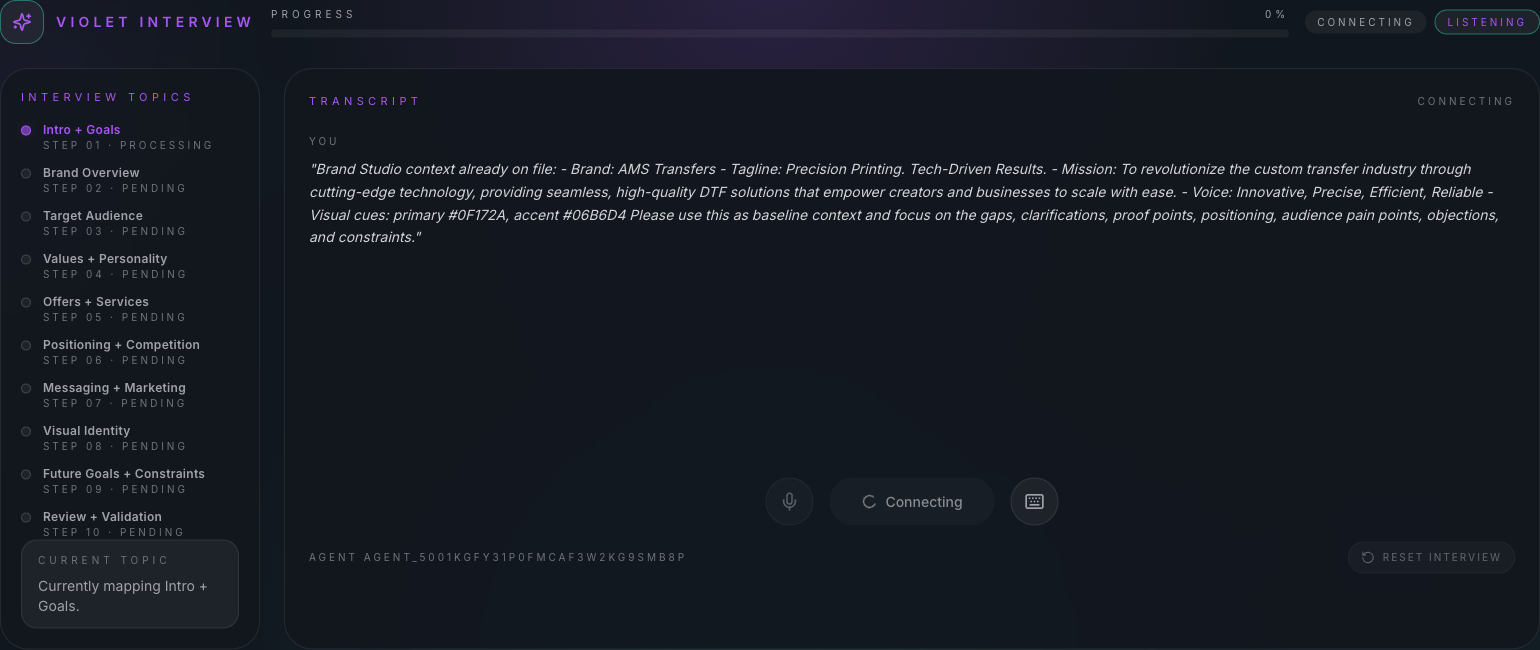
Use the interview when the knowledge still lives in someone’s head and needs follow-up questions.
How saved knowledge helps later
- Operator can answer with better business context.
- Creative Studio can retrieve the facts instead of forcing you to restate them.
- The brand system becomes more useful because style and substance stop living in separate places.
Example: Saving a launch offer the whole team keeps forgetting
A launch has strict rules: free shipping ends Friday, bundles cannot be mixed, and one claim is legally approved while another is not.
Those details belong in the Knowledge Base because they should shape future answers and campaign work long after one chat ends.
Visual walkthrough

Use the header actions to confirm where you are before you start adding durable business knowledge.
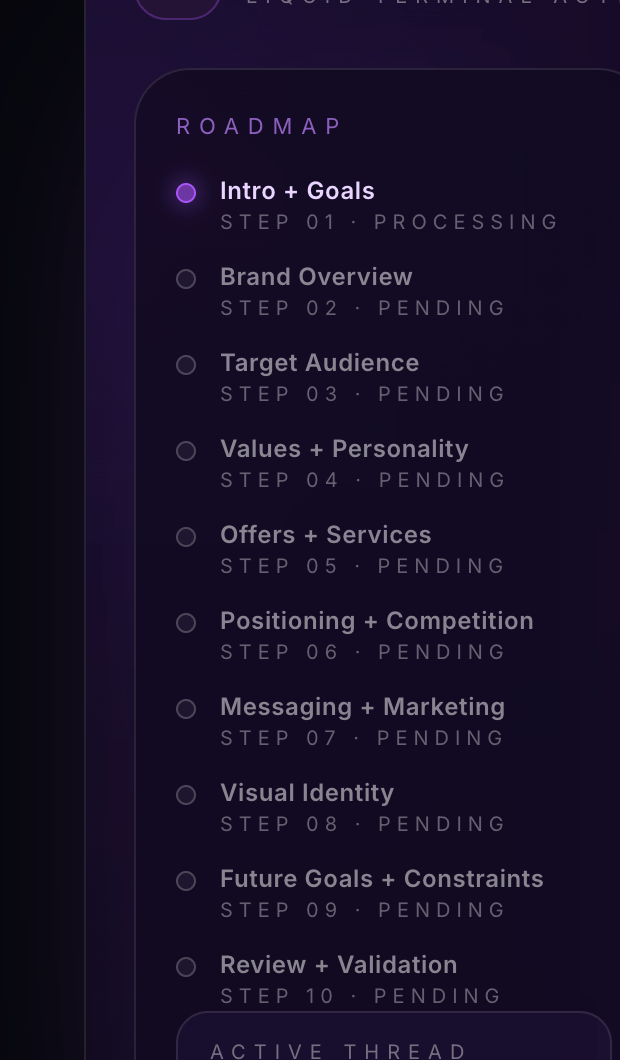
The roadmap helps you spot which kinds of knowledge are still missing from the brand system.