
Help CenterCreative Studio
Creative Studio
Creative Studio Sessions, References, and Troubleshooting
Updated March 19, 2026
3 min read
At a glance
| Topic | Details |
|---|---|
| Best for | Returning to work later, keeping references useful, and fixing messy project state. |
| Start here | Use this if you are managing more than one project or revisiting old work. |
| Outcome | Fewer duplicate sessions and faster recovery when a project starts drifting. |
Open it now
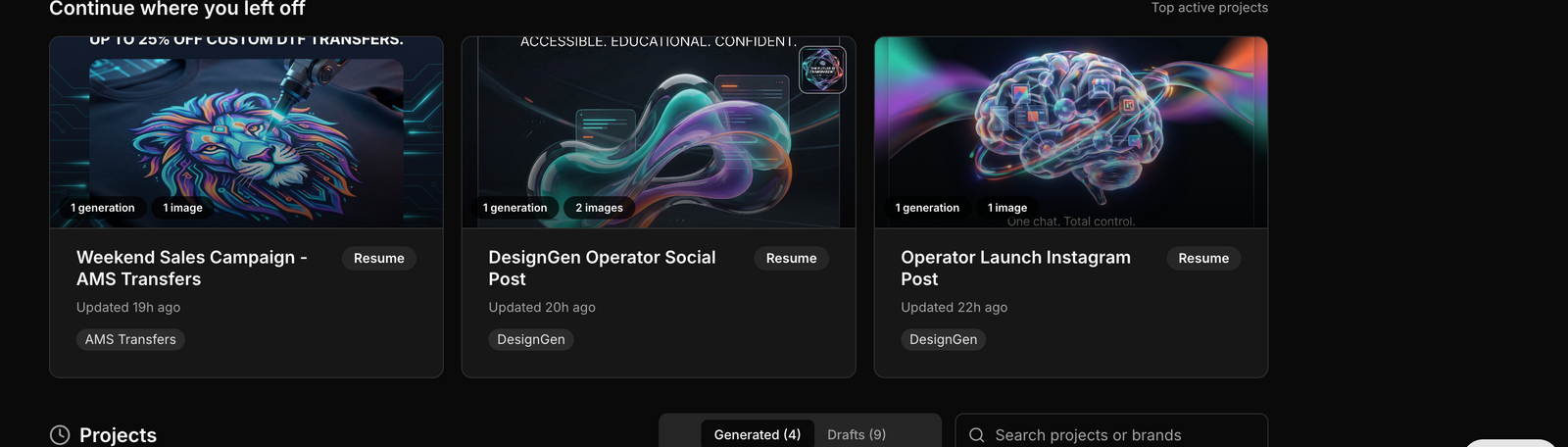
The recent session view is the first place to look before you create another project that already exists.
Before you start
- Search before you create a new session. Duplicate sessions split context and usually lower quality.
- Use references for one specific job at a time: composition, texture, styling, or layout.
- If a fact belongs to future work too, move it out of the session and into Brand Studio or the Knowledge Base.
What a session keeps together
- The conversation history.
- The brief or project notebook.
- Generated images and saved references.
- Any follow-up work connected to that campaign.
How to use references well
- Use a few strong references instead of many weak ones.
- Pick references that match the exact part you care about: composition, texture, lighting, or styling.
- If the references conflict with each other, the output usually gets muddy.

Search is the best recovery tool when the recent list is not enough.
A simple cleanup routine
- Search for the existing session before you open a new one.
- Re-read the brief before you ask for another round.
- Remove or replace weak references.
- If you discovered a reusable fact, move it into Brand Studio or the Knowledge Base.
Troubleshooting
| Issue | Likely cause | What to do |
|---|---|---|
| The session feels generic | The brief is too thin or the wrong brand is attached. | Tighten the brief and confirm the brand before regenerating. |
| The results keep drifting | Too many weak or conflicting references are attached. | Reduce the reference set and keep only the ones that match the current goal. |
| Generation will not queue | A required field or queue condition is blocking it. | Check creative goal, aspect ratio, and any 402/429 notices. |
| A save fails unexpectedly | Another write changed the notebook or session state. | Refresh the session and save again after the state stabilizes. |
Do not save permanent business facts only in one session: If the information should help the next campaign too, it belongs in the Knowledge Base.
Example: Finding the right old project
A designer knows they already made a good footwear campaign six weeks ago but cannot remember the session name.
- They search from the Creative Studio home page.
- They open the matching session instead of starting over.
- They update the brief with the new offer and keep the original visual direction.
Visual walkthrough
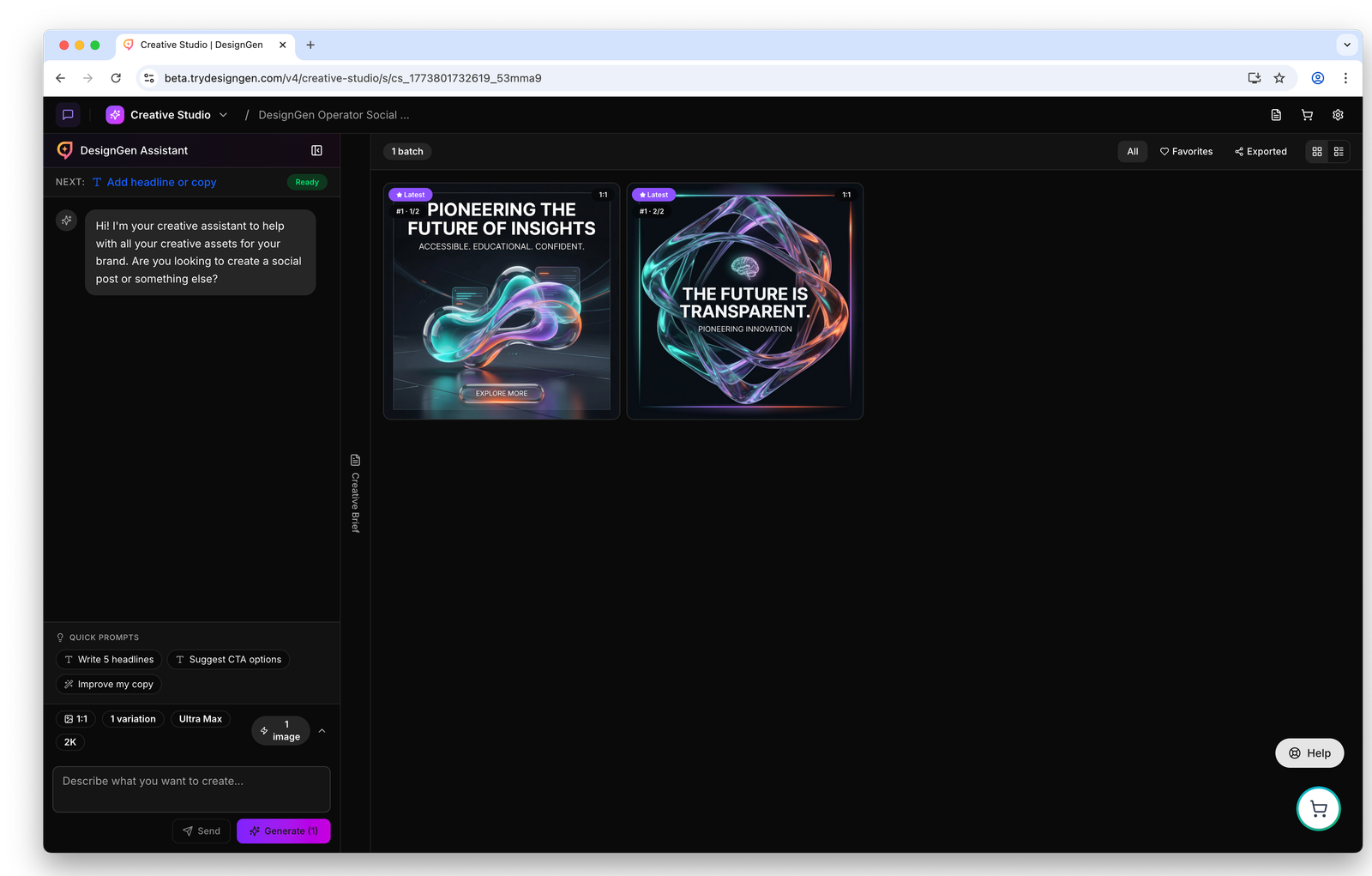
Open the full session when you need to inspect references, output history, and the current state together.
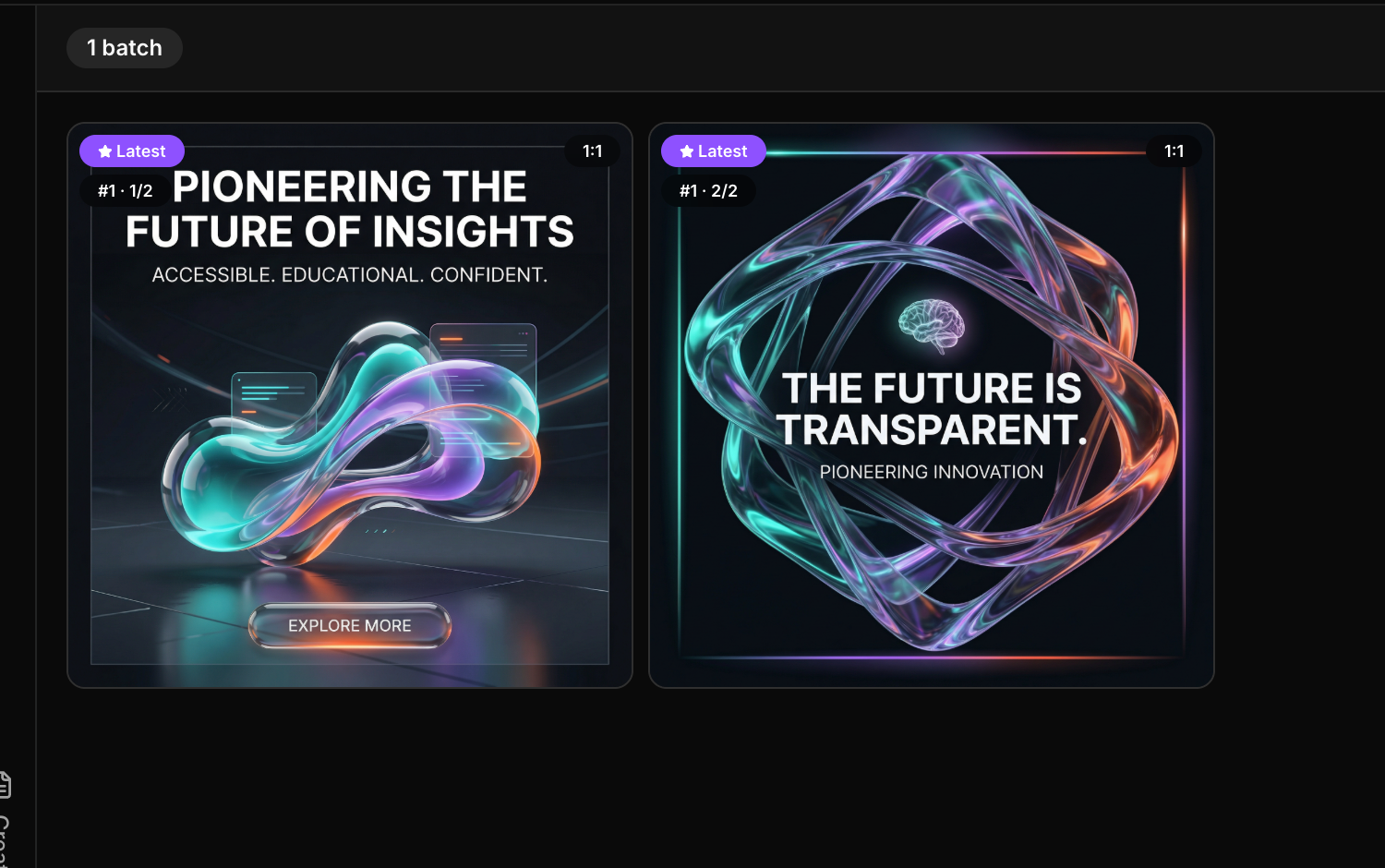
Use gallery view when troubleshooting means comparing multiple outputs instead of staring at only the latest one.

The toolbar gives you the fastest path to adjust the current session instead of abandoning it.