
Released 8/21/2026
Transparent PNG Output
- Ultra Max now creates and edits isolated artwork as a transparent PNG in the T-shirt Designer and Image Studio.
- That gives apparel creators a cleaner handoff into mockups, layout, vectorization, and print review without requiring a separate background-removal pass first.
- Transparency is available for new designs, reference-image workflows, Screenshot to Design, and direct edits that use Ultra Max.
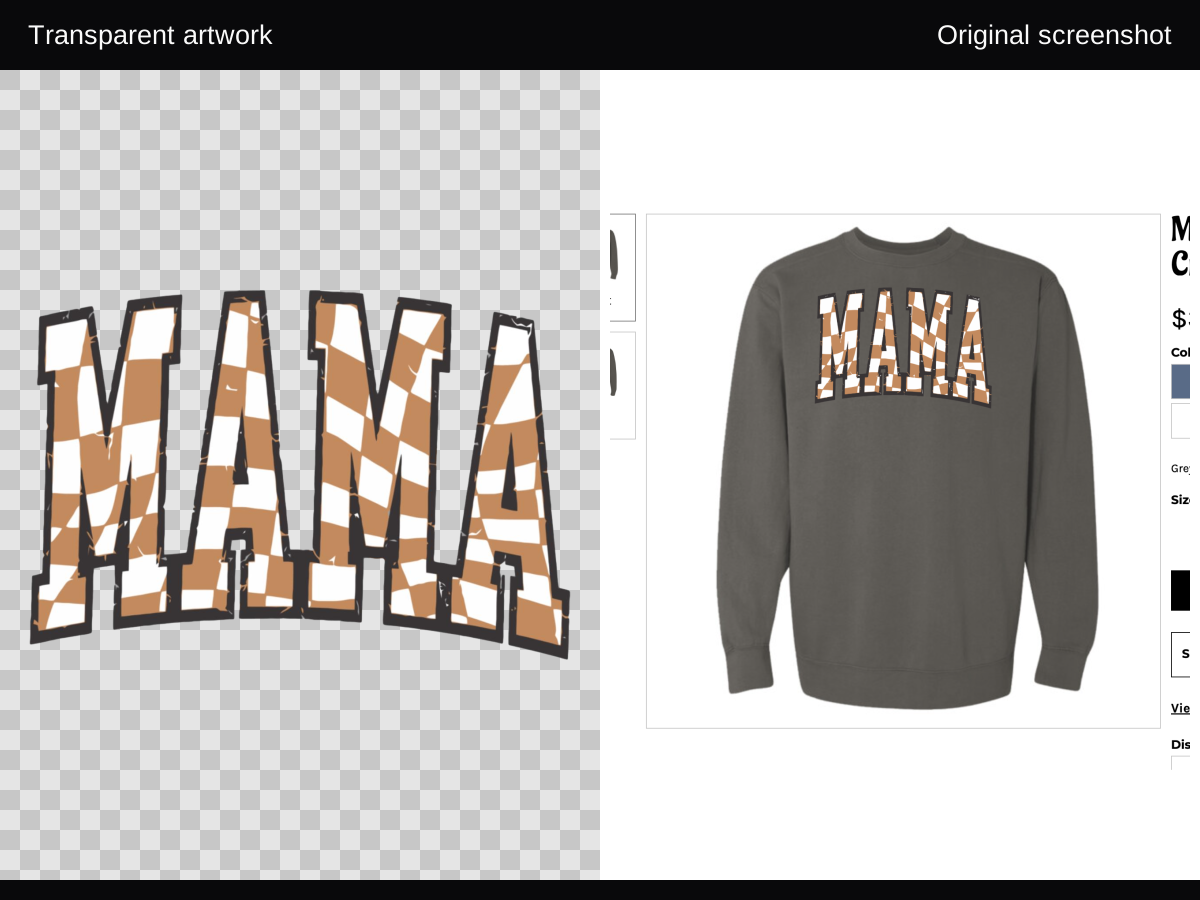
Where It Works
Review Before Production
- Preview the PNG on both light and dark backgrounds so edge halos and accidental opaque areas are easy to see.
- Inspect small lettering, fine strokes, glows, and shadows at the size you intend to use.
- If a scene background is an intentional part of the final image, choose a scene-first workflow instead of treating transparency as the final output.