
Help CenterCreative Studio
Creative Studio
Creative Studio Assistant, Brief, and Brand Controls
Updated March 19, 2026
4 min read
At a glance
| Topic | Details |
|---|---|
| Best for | Using the assistant well, keeping the brief clean, and making sure the right brand context is attached before you generate. |
| Start here | Open a single creative session, not just the home page. |
| Outcome | A project that stays on-brief instead of drifting into random variations. |
Open it now
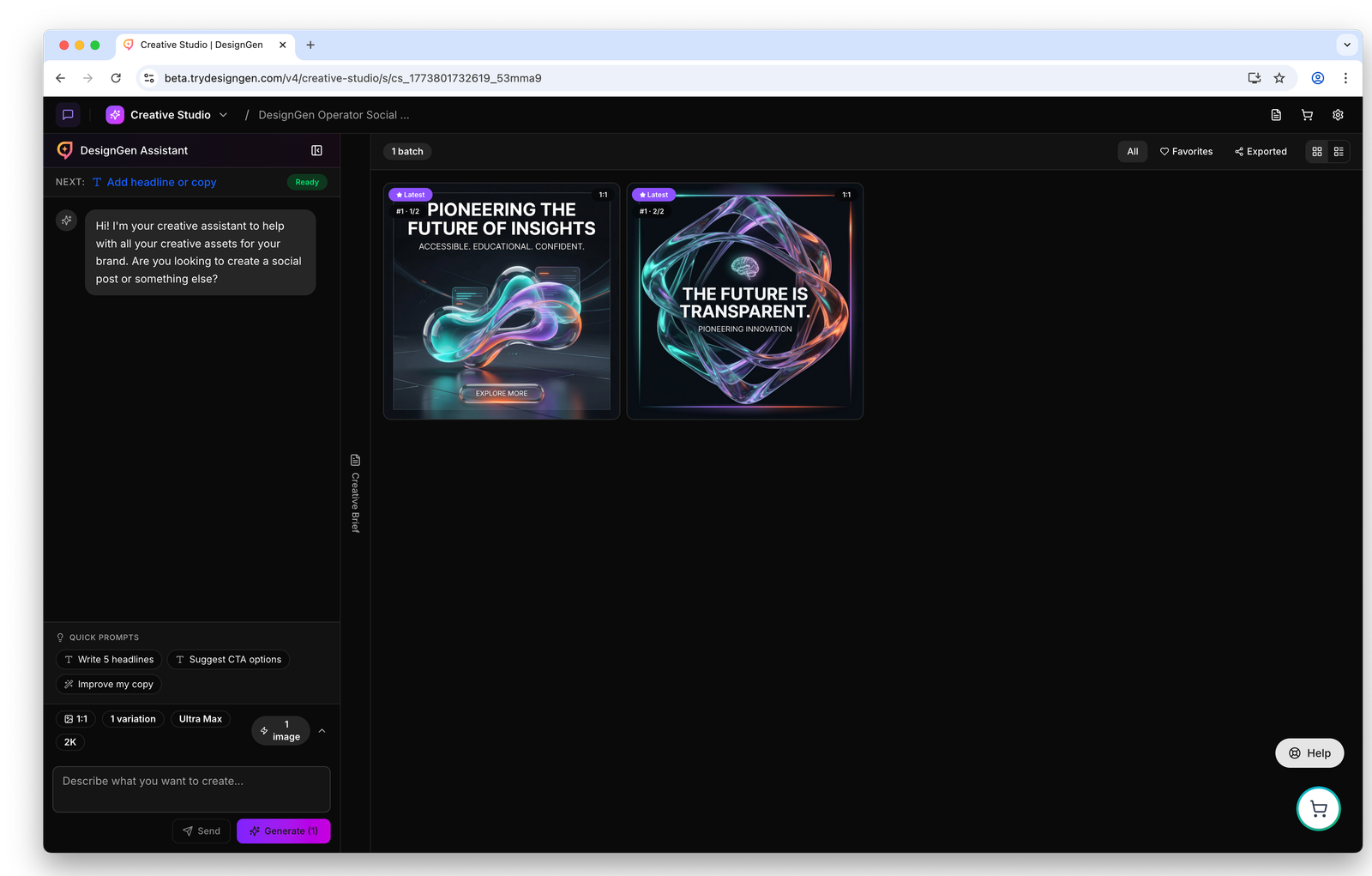
Inside a session, the assistant, project notes, and output all support the same job.
Before you start
- Generation is blocked until the session has a creative goal and at least one aspect ratio.
- Use chat for direction and planning. Use the brief to preserve the direction once the project becomes real.
- If the notebook is being updated elsewhere, writes can conflict. Save carefully when the session is active across multiple places.
The three pieces that matter most
- Assistant: ask for direction, revisions, prompt help, and follow-up work.
- Brief or notebook: keep the project focused so the session still makes sense tomorrow.
- Brand controls: confirm that the session is pulling from the right brand and saved context.
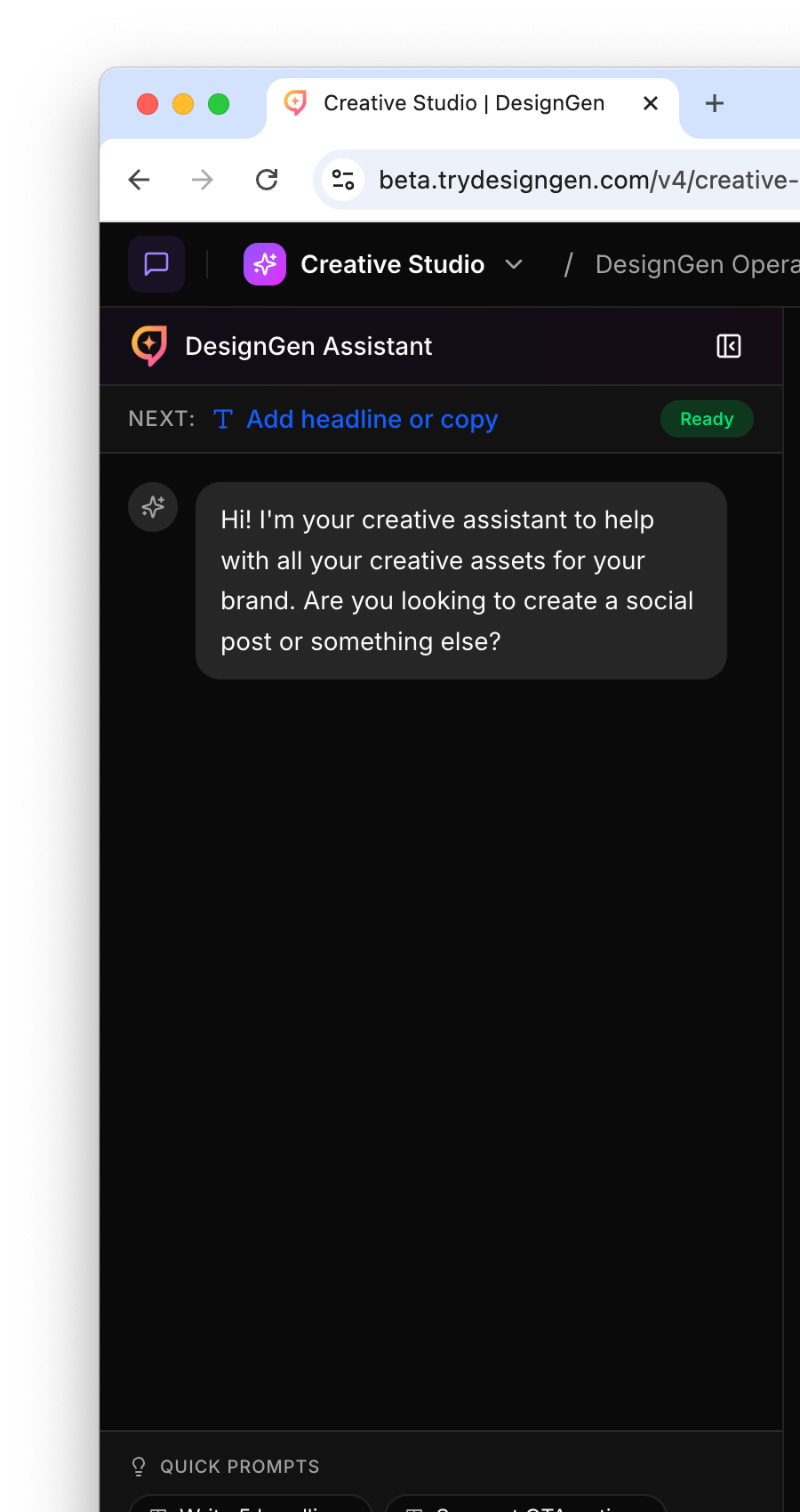
Use the assistant for task-level guidance, not long brand setup that belongs elsewhere.
A good step-by-step pattern
- State the job clearly in the assistant.
- Check the attached brand before you generate.
- If the system shows knowledge-use signals, confirm they match what you expected.
- Write down the direction in the brief once the project becomes real.
- Choose whether you are only sending a message or actually preparing to generate.
- Keep major project changes in the brief so the next round does not restart from confusion.
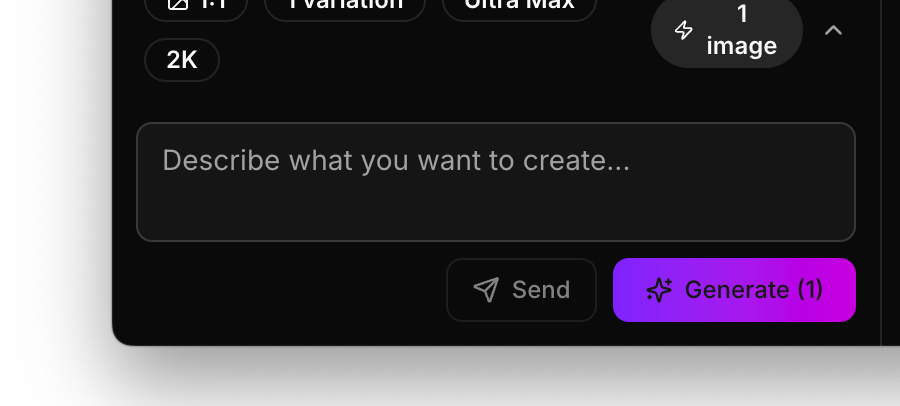
This is where specificity helps most. Ask for one clear thing first, then widen out if needed.

Session controls matter once the project is active, because this is where people usually lose track of state.
What to do when the session is off-brand
- Confirm the selected brand.
- Check whether the active brand in Brand Studio is still the right one.
- Move missing facts into the Knowledge Base instead of repeating them in the assistant.
- Tighten the brief before you ask for more output.
Generation blockers to watch for
| Blocker | What it means | What to do |
|---|---|---|
| No creative goal | The session does not yet know the core job. | Fill in the creative goal before you try to generate. |
| No aspect ratio selected | The output target is underspecified. | Choose at least one aspect ratio or use a preset pack. |
| 402 error | The session hit a billing or token limit. | Check usage or billing before retrying. |
| 429 error | The system is throttling or queueing too aggressively. | Wait briefly, then retry instead of hammering Generate. |
| 409-style save conflict | The notebook changed from another source. | Refresh the session state and save again carefully. |
Example: Fixing a generic first round
The first images look polished but too generic.
- The team checks the brand controls and notices the wrong brand was attached.
- They switch to the correct brand.
- They add one missing audience note to the Knowledge Base.
- They update the brief with the sharper direction and run a new round.
Visual walkthrough
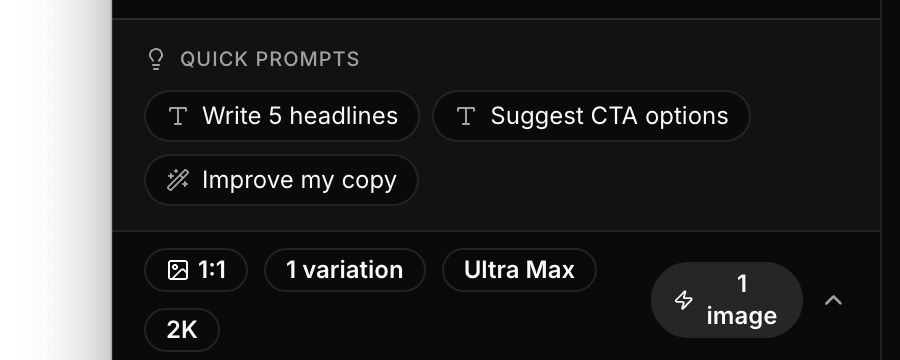
Quick prompts are useful when the team knows the type of change it wants, but not the exact wording yet.