
Operator Overview and Workspace Basics
At a glance
| Topic | Details |
|---|---|
| Best for | Starting a task in plain language, attaching the right brand, and keeping live work in one thread. |
| Start here | Open Operator when you know the goal, but you want help deciding the next move or running a tool-assisted workflow. |
| Outcome | A cleaner session with fewer blind prompt retries and less jumping into the wrong studio too early. |
Open it now
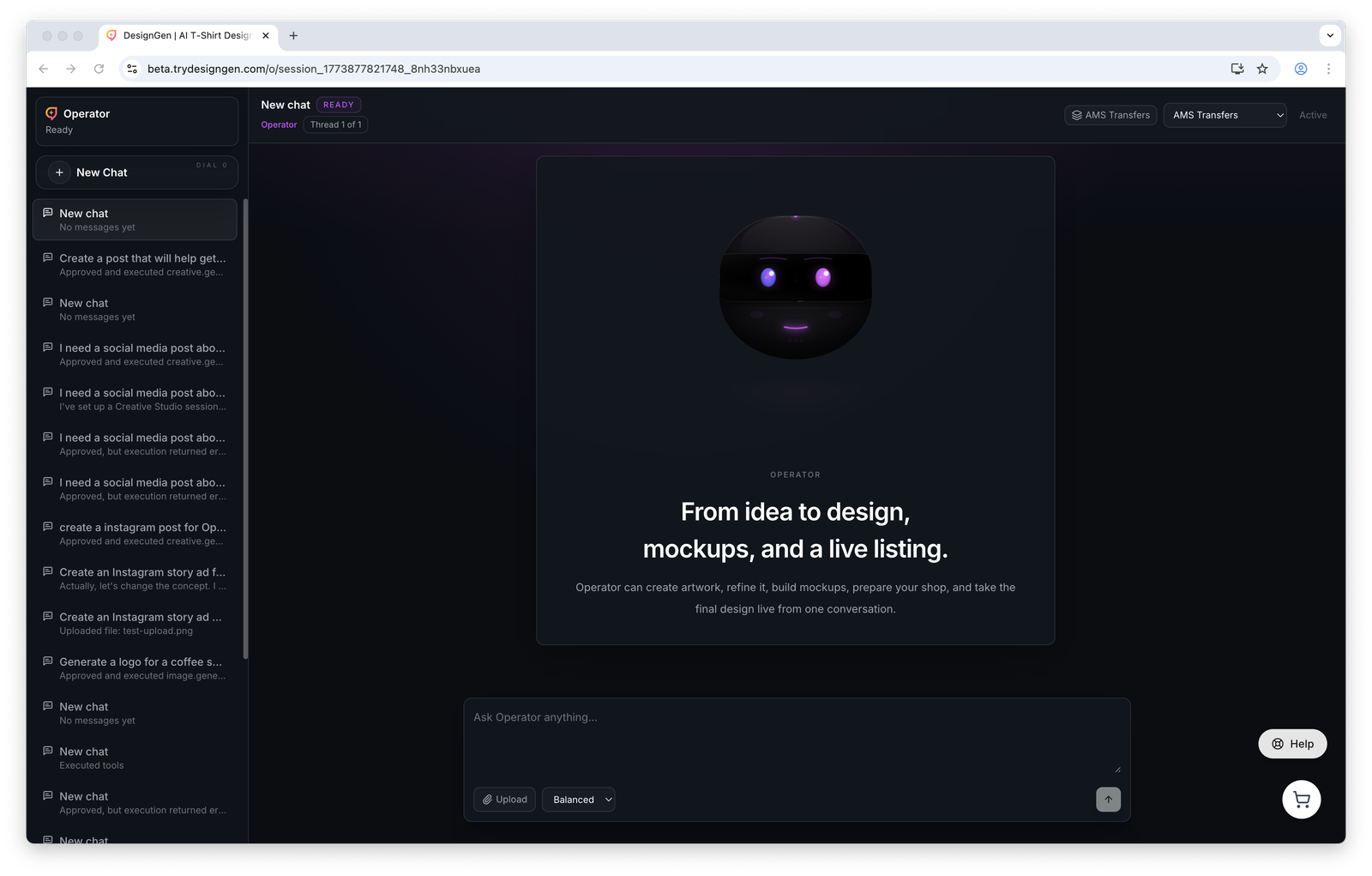
Operator keeps the thread, brand context, uploads, and next action in one place.
Before you start
- Pick the brand before you ask for important work. It is one of the highest-leverage checks in the whole app.
- Keep one thread per project when possible. Operator works better when the history stays coherent.
- Uploads help the current thread, but they do not automatically become permanent brand knowledge.
What you see in Operator
- A sidebar for sessions, new chats, and session history.
- A brand selector so you can confirm the correct brand before you request work.
- A main canvas where the thread, outputs, and activity updates appear.
- A composer where you type the next instruction, upload files, and choose a model preset such as
Fast,Balanced, orQualitywhen available.
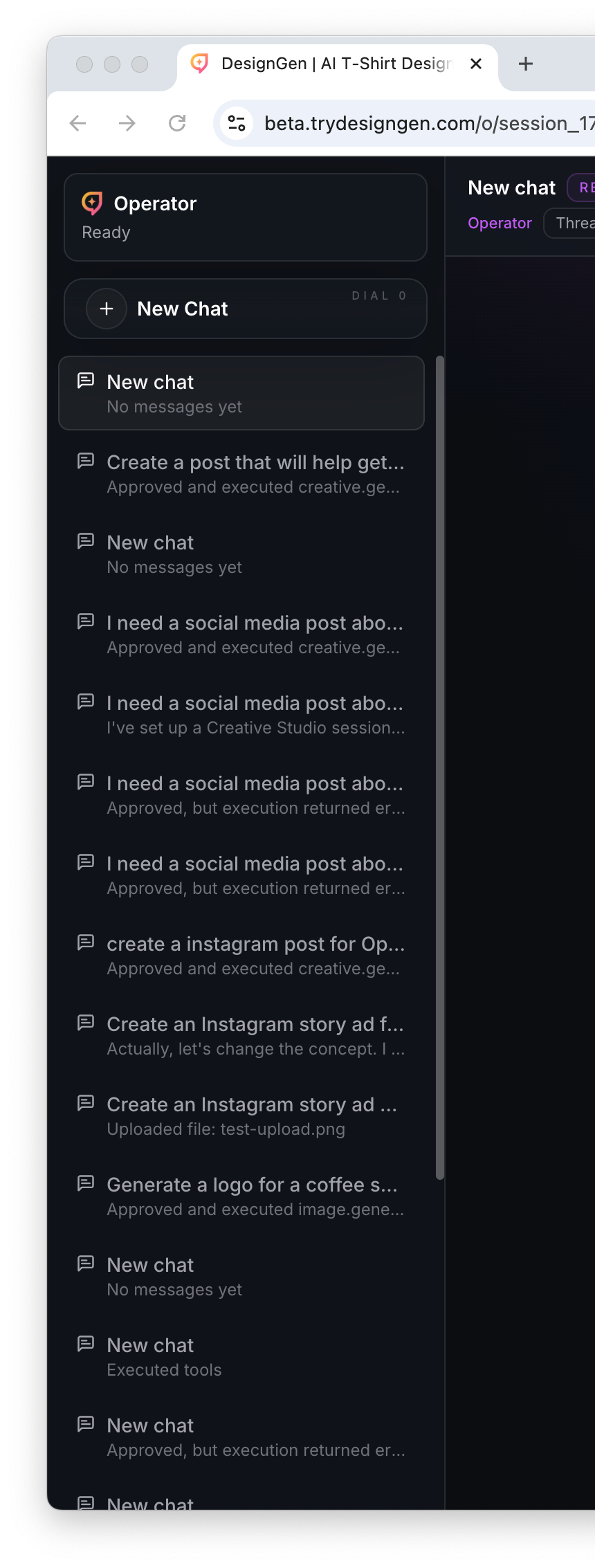
Use the sidebar to resume work instead of starting over in a fresh chat every time.
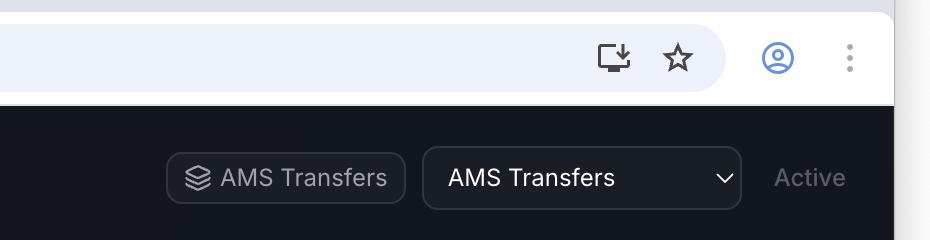
Confirm the brand first. The wrong brand is a very common reason for confident but wrong output.
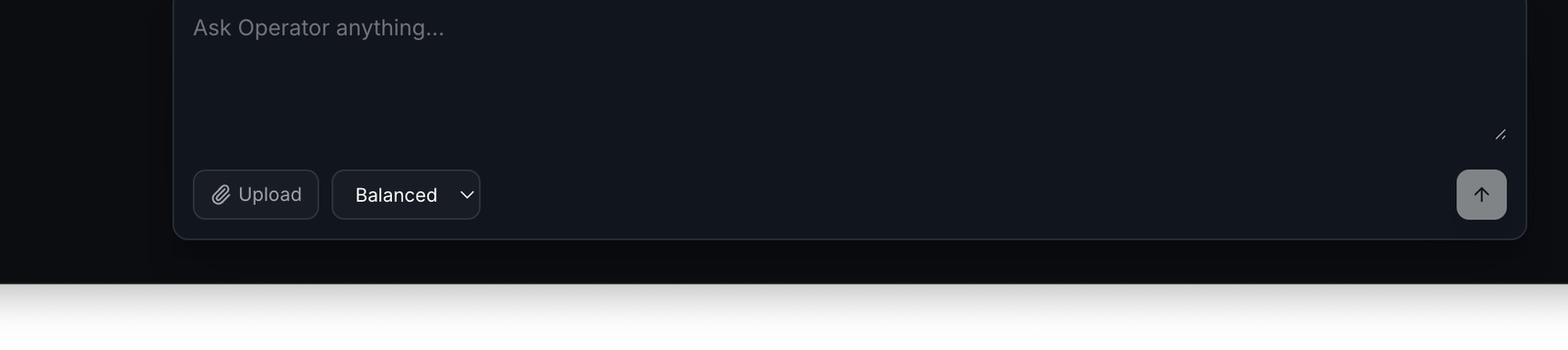
Write the task the way you would hand it to a capable teammate: short, specific, and tied to an actual outcome.
A practical Operator workflow
- Confirm the brand in the top bar.
- Type the goal in one sentence. Example:
Plan a launch email, landing-page hero, and two ad directions for this week. - Upload any file or image that the task depends on.
- Read the answer and decide whether the next step belongs in Operator, Brand Studio, Knowledge Base Studio, or Creative Studio.
- Stay in the same thread if the project is the same. Start a new thread only when the job is truly separate.
What Operator is especially good at
- Triage: deciding whether the next fix belongs in brand, knowledge, creative, or production work.
- File-aware work: reviewing an upload, planning from a reference, or using a file inside a tool flow.
- Tool orchestration: running work that may pause for your approval before a costly or state-changing action continues.
- Revision management: branching the thread into a new path, or editing an earlier user turn when the original instruction was wrong.
Three behaviors that confuse new users
| Behavior | What it means | What to do |
|---|---|---|
| Operator pauses for approval | A tool wants permission before it continues. | Read the approval card and approve only if the action matches your intent. |
| An upload is visible in the thread | The file is available to the current session. | Move its durable facts into the Knowledge Base if they should help future work too. |
| Branch and edit are both offered | They are different revision paths. | Branch when you want an alternate path. Edit when you want to correct the earlier user message itself. |
Good first prompts
- "Use the active brand and help me decide what to build first for next week’s launch."
- "Review this uploaded image and tell me what I should fix before generating variants."
- "What facts are missing from our knowledge base for this product line?"
- "Should this live in Brand Studio, Knowledge Base Studio, or Creative Studio?"
When to leave Operator
- Go to Brand Studio if the brand system itself is wrong or incomplete.
- Go to Knowledge Base Studio if the system is missing facts it should remember later.
- Go to Creative Studio if you are ready to produce campaign output and iterate inside a project session.
Example: Using Operator before a campaign sprint
A marketer needs three ad directions, but they are not sure whether the active brand and current product facts are in good enough shape.
- They open Operator and ask for a campaign plan.
- Operator makes it obvious that the current voice is too broad and one offer rule is missing.
- They switch to Brand Studio, tighten the voice, then add the missing offer rule to the Knowledge Base.
- They return to the same Operator thread and then move into Creative Studio for execution.
Do not use Operator as a memory dump: If a fact should help future sessions, move it into the Knowledge Base instead of leaving it buried inside one conversation.
Visual walkthrough
Keep an eye on the main canvas because approvals, tool activity, and intermediate work all surface there.